
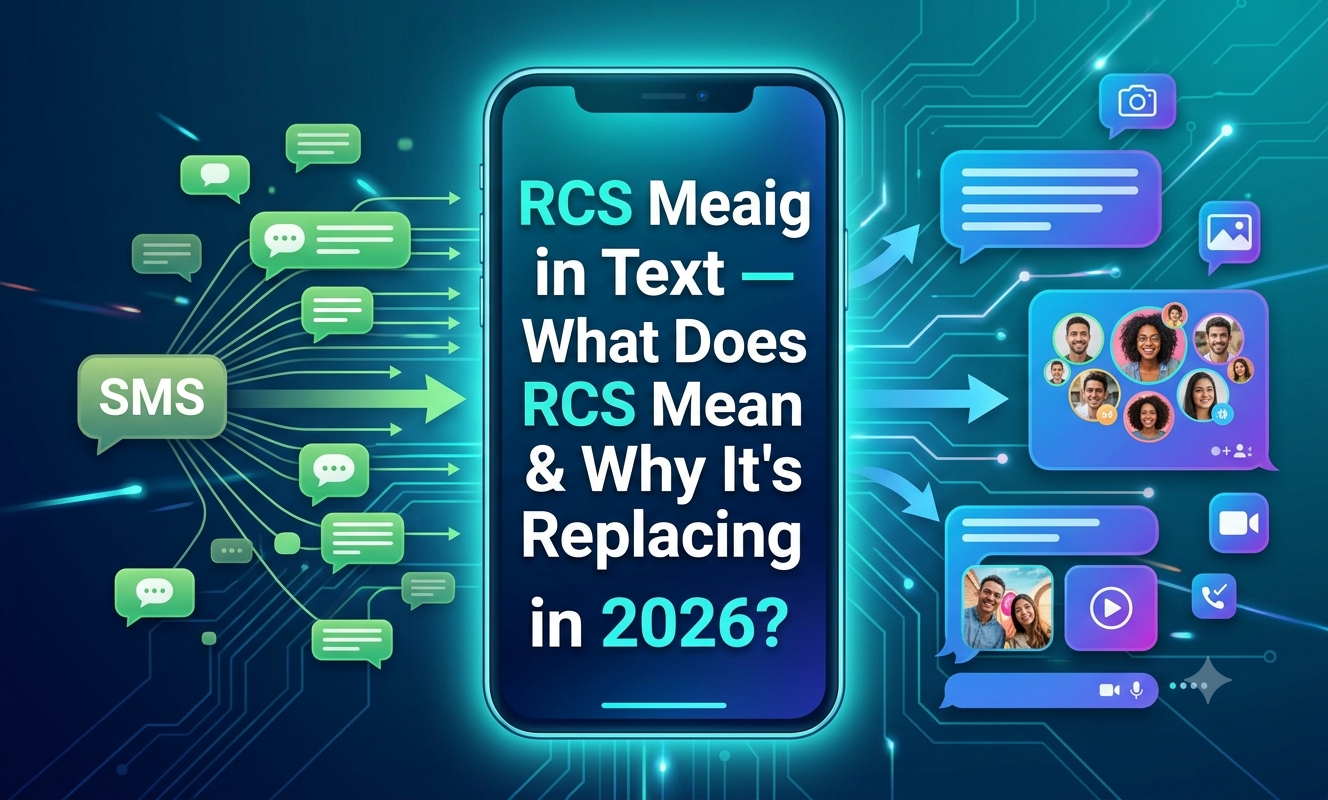
Quick Answer: RCS stands for Rich Communication Services. It’s a texting standard that upgrades old-school SMS with read receipts, typing indicators, high-quality photos and videos, and better group chats — and as of 2026, it works between both Android and iPhone.
Introduction
Ever sent a video to a friend over text and watched it come out blurry and pixelated? Or noticed your group chat suddenly turned from blue to green — or the other way around? That’s usually RCS at work, or the lack of it.
RCS meaning in text simply refers to Rich Communication Services, the messaging protocol that’s quietly replacing plain old SMS on most modern phones. If you’ve spotted “RCS” in your phone’s settings, seen a “Chat features” toggle in Google Messages, or wondered why texting between an iPhone and an Android suddenly looks nicer, this guide breaks it all down.
In this article, you’ll learn what RCS actually stands for, how it works, how it shows up on different platforms in 2026, whether it’s something to worry about, and how it compares to similar messaging terms you might come across.
What Does RCS Mean?
RCS stands for Rich Communication Services. It’s the upgraded carrier messaging standard that adds read receipts, typing indicators, high-resolution media, and branded business messages, all built directly into a phone’s default texting app. Think of it as SMS that got a serious glow-up.
Unlike apps such as WhatsApp or iMessage, RCS isn’t a separate download. It’s a messaging standard meant to replace SMS and MMS with a more capable system for texting between phone numbers, so it lives right inside your existing Messages app.
A short history, in plain English:
RCS was first proposed to the GSM Association back in 2007, but adoption was painfully slow because carriers, phone makers, and messaging apps all had to get on board at the same time. Google eventually took the lead, building RCS support into Google Messages and using its own infrastructure to help carriers adopt the standard, which is why Google Messages became the default texting app on many Android phones, including newer Samsung devices.
The turning point came in 2024, when Apple finally joined in. Apple added RCS support to the iPhone with iOS 18, meaning RCS now works for texting between Android phones and iPhones, not just Android to Android. By 2026, that shift has reshaped everyday texting — RCS is no longer just an Android-heavy texting upgrade, since messages between iPhone and Android users can now include higher-quality media, read receipts, typing indicators, and better group chats when both sides support it.
The next big milestone is encryption. Google Messages already offers end-to-end encryption for RCS chats between Google Messages users, and Apple and Google are now working toward encrypted RCS between iPhone and Google Messages as well. As of May 2026, RCS messages between iPhone and Android can be end-to-end encrypted for the first time, with the feature having launched in beta.
RCS Full Form Explained
If you’re wondering what each letter stands for, here’s the simple breakdown:
| Letter | Stands For | What It Means |
|---|---|---|
| R | Rich | Refers to “rich media” — high-quality photos, videos, GIFs, and interactive content |
| C | Communication | The exchange of messages between two or more people |
| S | Services | A carrier and platform-backed service, not a single standalone app |
So when you put it together, RCS = Rich Communication Services — a texting standard, not a brand or an app you download.
How RCS Shows Up in Everyday Texting — Real Examples
RCS itself isn’t slang, so you won’t text “send RCS” the way you’d text “ily” or “omw.” Instead, it shows up as features and labels you notice while texting. Here’s how it plays out in real conversations:
| Situation | What You’ll See | What It Means |
|---|---|---|
| Sending a photo to a friend on Android | Photo appears in full HD instantly | RCS is compressing less and sending richer media |
| Texting a group chat with mixed iPhone/Android users | “Delivered” then “Read” appears under your message | RCS read receipts are active |
| Typing a reply to someone | Three dots or “typing…” shows on their screen | RCS typing indicators |
| Your phone shows “Chat features are on” in settings | A banner or settings toggle | RCS is enabled on your device |
| Texting someone with an older phone or no signal | Message sends as a normal green text | RCS has fallen back to SMS/MMS |
| A business texts you with a logo and verified name | Rich card with buttons, images, or a carousel | RCS Business Messaging (RBM) |
| Sending a large video to a group | Video plays smoothly, no heavy pixelation | RCS supports much larger, higher-quality media than MMS |
| You get an “RCS activation” notification after a new SIM | Chat features briefly disabled, then re-enabled | RCS re-verifying your number with the carrier |
RCS on Different Platforms (2026)
RCS doesn’t work the same everywhere — it depends on your phone, app, carrier, and country. Here’s how it plays out on the biggest platforms this year.
On Android (Google Messages)
On Android, Google Messages is the easiest path to RCS, and many phones now ship with it as the default app, with Google’s own infrastructure helping make the feature widely available even where carrier support varies. Chats between two Google Messages users typically get the fullest RCS experience — encrypted messages, read receipts, and rich media all working smoothly.
On iPhone (iOS)
Every iPhone capable of running iOS 18 or later — that includes the iPhone XS, XR, and newer — supports RCS, subject to carrier and market availability, and it works directly inside the Messages app without any extra download. Messages automatically fall back to SMS when RCS isn’t available on either end. It’s worth noting RCS chats on iPhone still show up as green bubbles, while iMessage-to-iMessage chats stay blue — RCS is not iMessage, and Apple’s blue-bubble ecosystem remains separate.
On Samsung Galaxy Devices
Newer Galaxy phones often use Google Messages as the default texting app now, while Samsung’s own Messages app has become less central to Samsung’s overall messaging strategy. This means most Samsung users in 2026 are getting RCS through the same Google-backed system as other Android phones.
For Businesses
RCS reaches up to roughly 85% of smartphones in major markets today, and for businesses using RCS Business Messaging, reported open rates run as high as 98%, with click-through rates in the 15–30% range. That’s why more brands are sending order updates, appointment reminders, and promotions through verified RCS “brand agents” instead of plain SMS.
Is RCS Rude or Offensive?
No — RCS isn’t a slang term with an emotional tone, so it’s not something that can come across as rude in the way an abbreviation like “k” or “wyd” might. But there are a couple of situations worth knowing about:
- Read receipts can feel awkward. Since RCS shows when a message has been read, some people feel pressure to reply instantly. If that bothers you, most Messages apps let you turn read receipts off in settings.
- Bubble color debates. Even with RCS improving cross-platform texting, some people still tease others over green vs. blue bubbles. That’s more of a social habit than anything to do with RCS itself.
- Business messages can feel intrusive. Because RCS lets companies send rich, branded texts, some users find frequent promotional RCS messages annoying — similar to how people feel about marketing emails.
In short: RCS is a technical feature, not slang, so there’s no hidden rude meaning to worry about.
How to Reply When Someone Mentions “RCS”
If a friend, parent, or coworker asks you about RCS — or you see it mentioned in a group chat — here are natural ways to respond:
| Their Message | Your Reply | Context |
|---|---|---|
| “Why did my texts turn green?” | “That just means RCS isn’t active for both of us — it’ll still work fine, just fewer fancy features.” | Explaining fallback to SMS |
| “What’s RCS mean on my phone?” | “It stands for Rich Communication Services — basically an upgraded version of texting.” | Direct explanation |
| “Is RCS safe?” | “Yeah, it’s a standard carriers and Google/Apple support, and encryption is rolling out too.” | Reassurance |
| “My chat features turned off after I got a new phone.” | “That’s normal, it just needs to re-verify your number — give it a few hours.” | Troubleshooting |
| “Should I turn RCS on?” | “I’d say yes, you’ll get better photos, read receipts, and typing indicators.” | Recommendation |
| “Does RCS work with iPhone?” | “Yep, since iOS 18 it works between Android and iPhone.” | Cross-platform clarification |
RCS Alternatives and Similar Terms
RCS often gets mentioned alongside other messaging terms. Here’s how they compare:
| Term | Full Meaning | How It’s Different From RCS |
|---|---|---|
| SMS | Short Message Service | The original basic texting format; RCS is built to eventually replace it |
| MMS | Multimedia Messaging Service | Older way to send photos/videos; lower quality than RCS |
| iMessage | Apple’s proprietary messaging service | Only works between Apple devices; not the same as RCS |
| RBM | RCS Business Messaging | The business-focused version of RCS used for brand texts |
| UP (RCS Universal Profile) | The technical spec RCS is built on | The underlying GSMA standard that makes RCS work across carriers |
| E2EE | End-to-End Encryption | A security feature now rolling out for RCS chats |
| A2P Messaging | Application-to-Person Messaging | Automated business texts, often sent over RCS or SMS |
| OTT Messaging | Over-the-Top Messaging | Apps like WhatsApp that work over the internet, unlike carrier-based RCS |
Frequently Asked Questions (FAQ)
Q: What does RCS mean in a text message? A: RCS meaning in text refers to Rich Communication Services, a texting standard that upgrades SMS with features like read receipts, typing indicators, and high-quality media sharing.
Q: Is RCS the same as iMessage? A: No. RCS is an open industry standard supported across many phone brands, while iMessage is Apple’s own private messaging service that only works between Apple devices.
Q: Does RCS work between iPhone and Android? A: Yes. Since Apple added RCS support starting with iOS 18, texts between iPhone and Android users can use RCS features when both sides and their carriers support it, with messages falling back to SMS if not.
Q: Why did my texts switch from RCS back to SMS? A: This usually happens when RCS isn’t available on one end of the conversation, often due to carrier support, a weak signal, or the other person’s chat features being turned off.
Q: Is RCS free to use? A: RCS works through your regular texting app and typically doesn’t cost extra beyond your existing data or messaging plan, though this can vary slightly by carrier.
Q: Can I turn RCS off? A: Yes, most phones let you disable “Chat features” or RCS in your messaging app’s settings if you’d prefer to use standard SMS/MMS instead.
Conclusion
RCS meaning in text comes down to one simple idea: it’s the modern replacement for old-fashioned SMS, bringing read receipts, typing indicators, sharper photos and videos, and better group chats right into your existing Messages app. With Apple and Android now both on board, and encryption steadily rolling out, RCS is quickly becoming the new normal for everyday texting in 2026.
Whether you’re a teen trying to explain green bubbles to a parent, or a parent trying to understand why your kid’s texts suddenly look different, this guide should clear things up. Bookmark this page so you can check back anytime RCS updates roll out — texting keeps evolving, and it helps to stay one step ahead.
Also read FR Meaning in Text — What Does FR Mean & How to Use It? (2026 Guide)
